傳送前,先遮好。 一切都在你的裝置上。
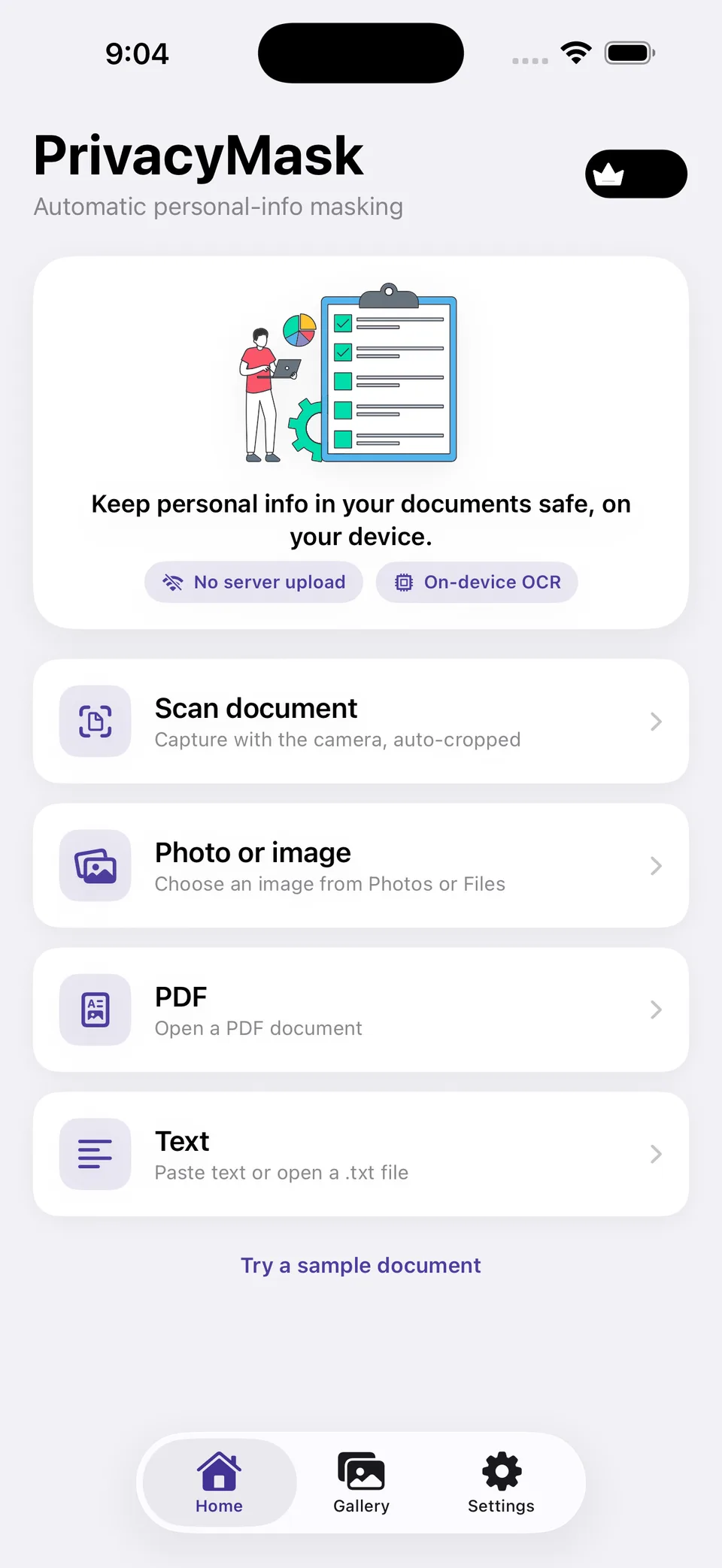
從電話號碼到人臉,自動偵測並遮蔽。你的文件不會離開手機。
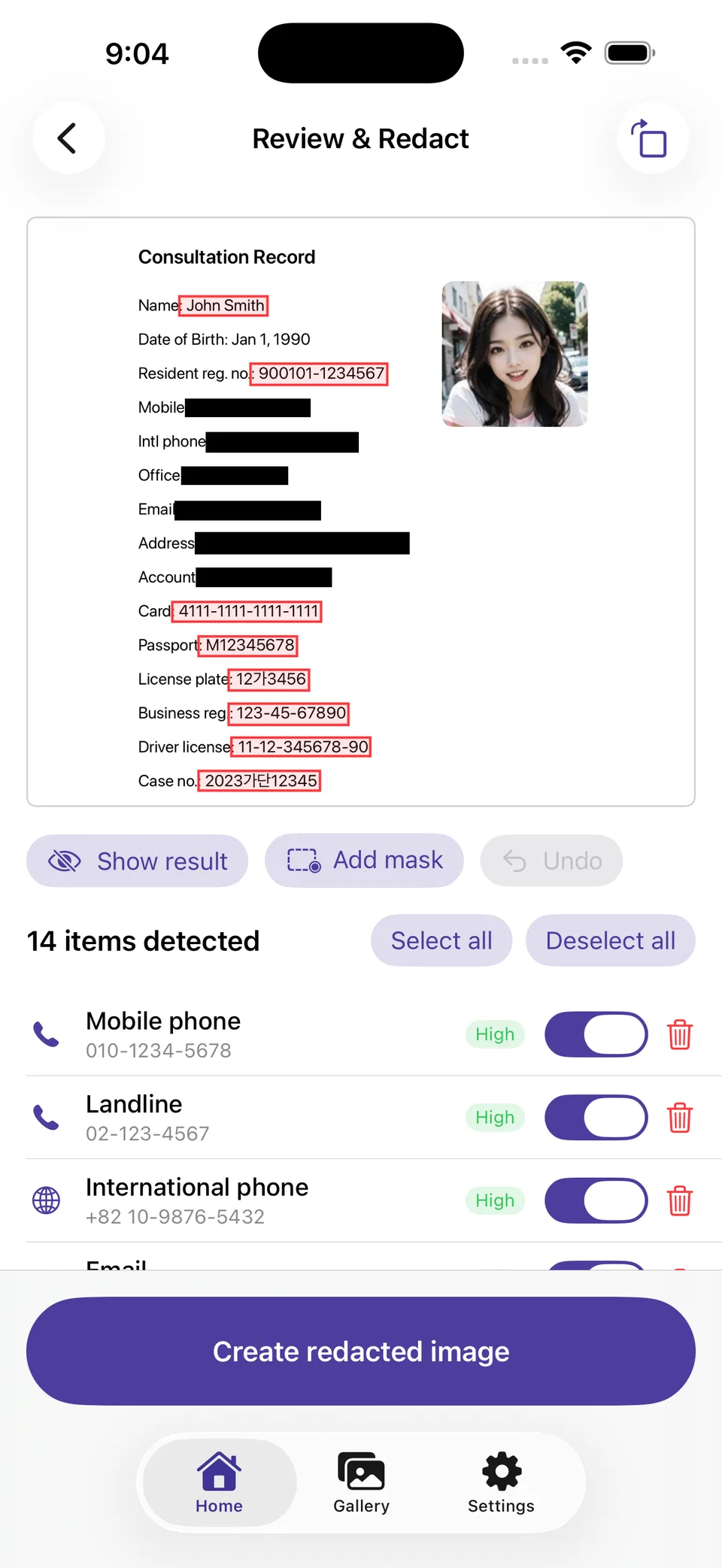
找到。遮蔽。完成。
OCR、偵測、遮蔽,全都在裝置上完成。文件不會離開你的手機。
自動偵測
找出 15 種以上個人資料。電話號碼、身分證字號、銀行帳號,還有更多。
連人臉都遮
偵測影像中的人臉、QR Code 和條碼,一併遮蔽。
什麼格式都行
掃描文件、匯入照片和 PDF,或直接貼上文字。
樣式與預設集
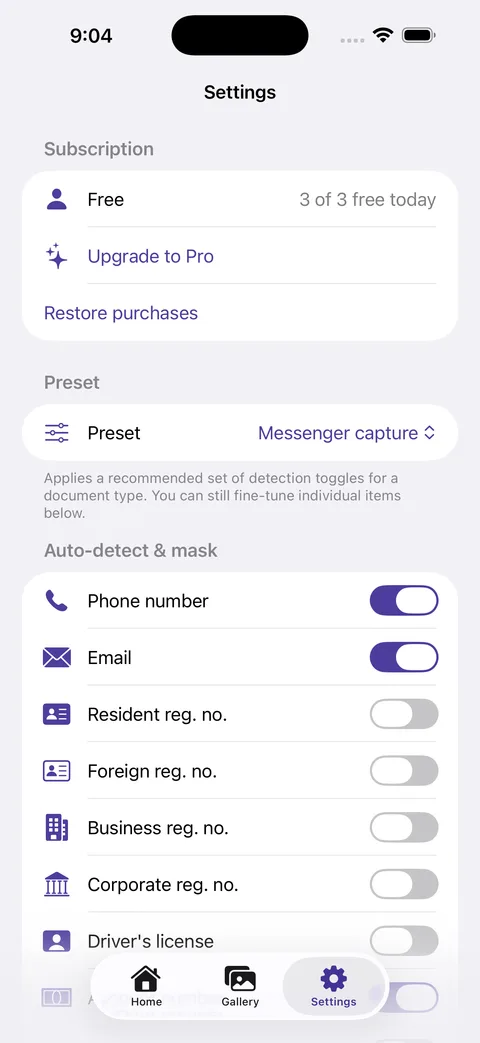
黑色方塊、模糊或馬賽克。還有「法律文件」、「通訊軟體截圖」等文件預設集。
When people use PrivacyMask
Redacting ID Cards, Bank Statements, and Contracts Before Messaging
Before sending a photo of an ID, lease agreement, or bank statement over email or chat, open it in PrivacyMask. On-device OCR automatically finds phone numbers, national ID/SSN digits, bank accounts, and addresses and covers them with solid black bars, blur, or pixel mosaic.
Blurring Bystander Faces, License Plates, and QR Codes in Social Photos
Automatically detect and mosaic strangers' faces in street photos, vehicle license plates in car listings, and shipping label QR codes or barcodes in unboxing shots before posting online.
Offline Multi-Page PDF Redaction for Legal, HR, and Medical Documents
When company policy forbids uploading sensitive PDFs to web-based redaction tools, open multi-page PDFs directly on your phone or tablet and batch-redact 15+ PII categories completely offline.
Sanitizing Sensitive Text Before Pasting into ChatGPT or Claude
Paste emails, support tickets, or contract drafts into the Text Redaction tab to automatically replace real client names, phone numbers, emails, and account numbers with safe placeholders before sending prompts to cloud LLMs.
FAQ
What is the safest app to redact personal information and blur faces without uploading to the cloud?
PrivacyMask performs all OCR text recognition, PII pattern detection, face/QR detection, and image/PDF redaction 100% locally on your device. No photos, documents, or text ever leave your phone.
Does PrivacyMask work completely offline in Airplane Mode?
Yes. Because the AI and OCR engines are bundled inside the app, scanning, auto-detection, and exporting redacted files work identically with Wi-Fi and cellular data turned completely off. Network access is only used by the OS store for optional Pro subscription billing.
What types of personal information (PII) does it detect automatically?
It detects 15+ text PII types—including phone numbers, email addresses, national ID / SSN numbers, passport numbers, driver's licenses, credit card numbers, bank account numbers, street addresses, license plates, and IP addresses—plus human faces, QR codes, and barcodes in images.
Can I manually add or remove redaction boxes if auto-detection misses something?
Yes. You can toggle each detected item on or off with a tap and draw custom redaction boxes anywhere on the page with your finger. Because automated detection is an assistive tool and cannot guarantee 100% accuracy on every font or angle, we always recommend reviewing the preview before sharing.
Does it support PDF files and plain text as well as photos?
Yes. You can scan paper documents with your camera, import photos (JPG/PNG), redact multi-page PDF documents, or paste raw text to mask sensitive strings on the spot.
How many redactions are free per day?
You can redact and export up to 3 items per day for free with no account required. Optional weekly, monthly, or annual Pro plans unlock unlimited batch redactions and document presets.
自動偵測能協助你找出個人資料,但無法保證 100% 涵蓋,分享前請自行確認結果。Pro 訂閱會自動續訂;價格依國家或地區而異,以 app 內顯示為準。網路連線僅用於商店付款處理。
下一份文件,遮好再傳。
每天免費遮蔽 3 次。在 iPhone 與 Android 上立即開始。