Ocúltalo antes de enviarlo. Todo en tu dispositivo.
Encuentra y oculta automáticamente desde números de teléfono hasta rostros. Tus documentos nunca salen de tu teléfono.
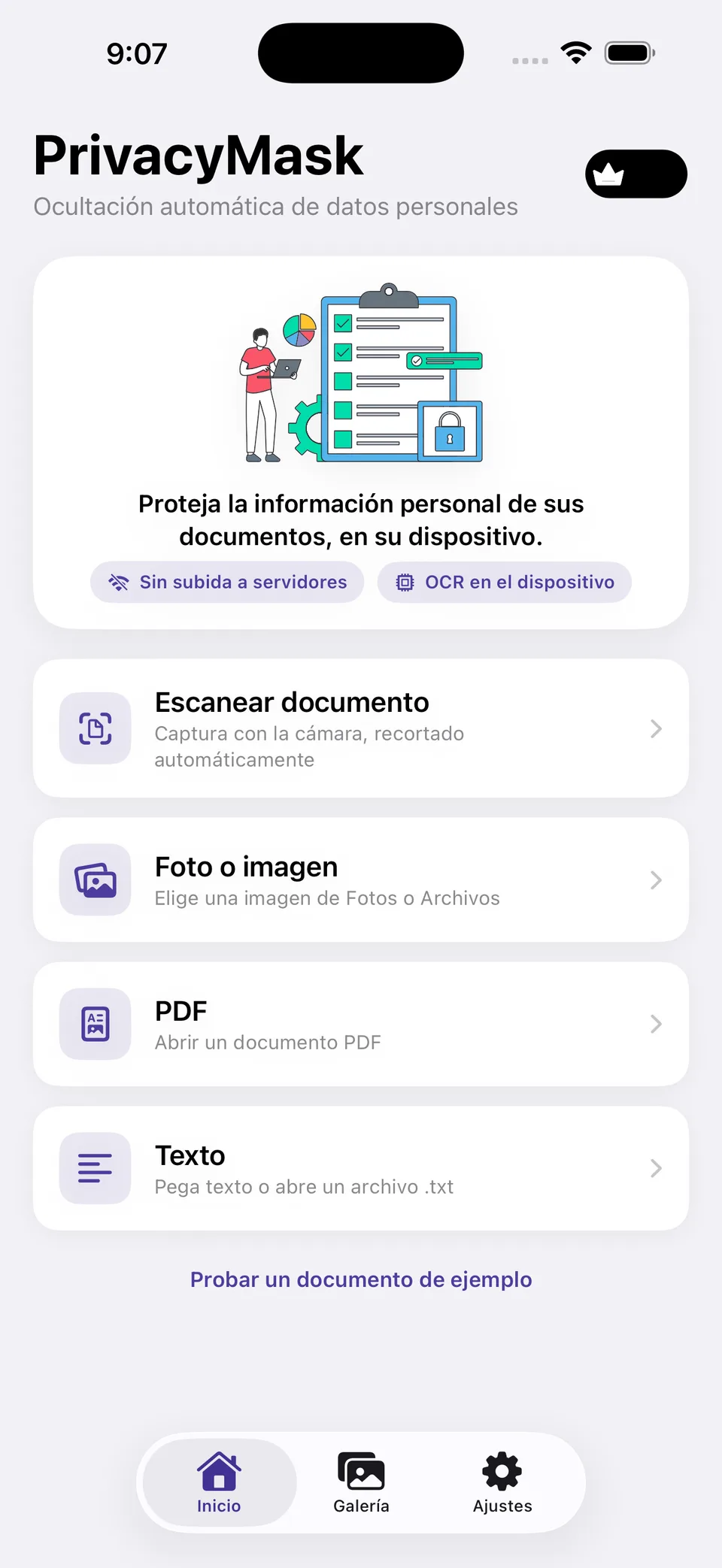
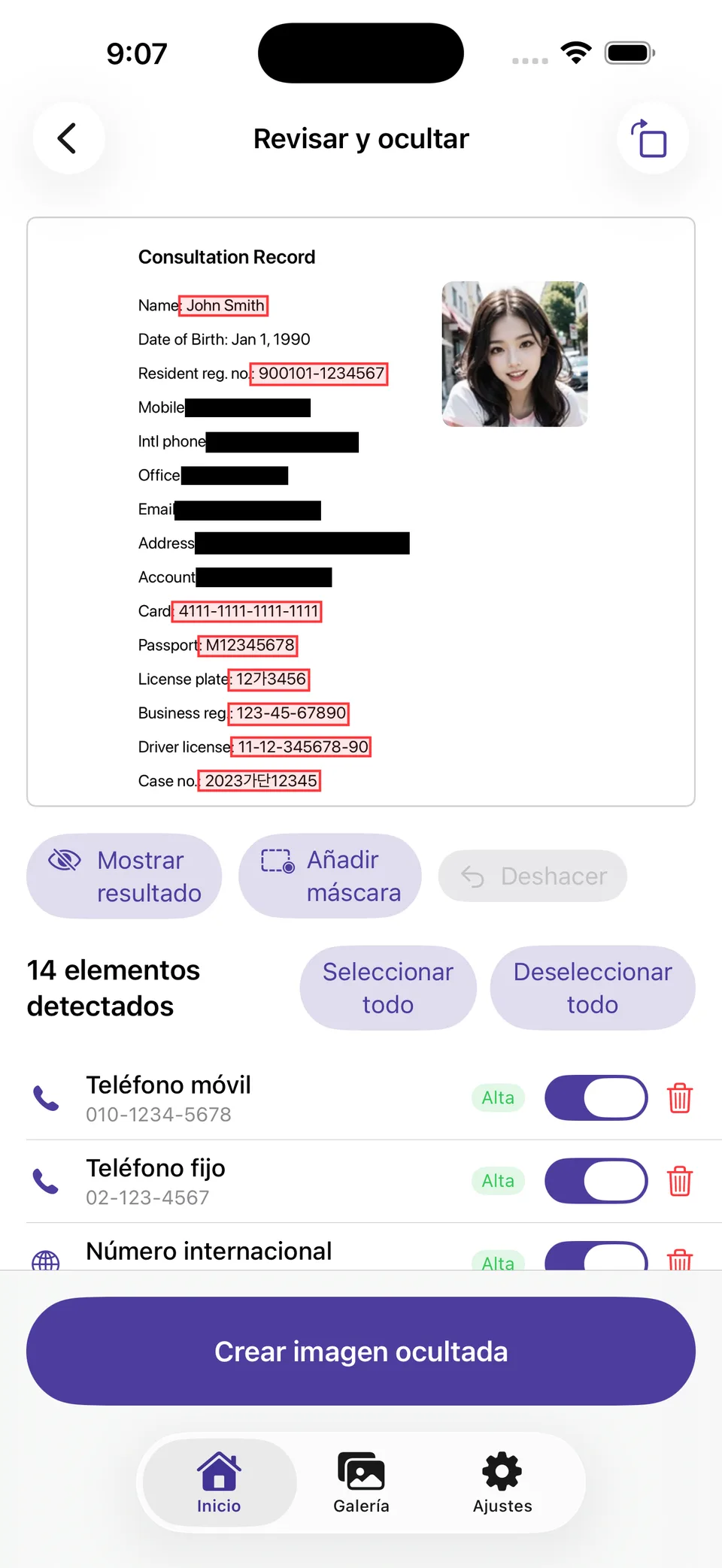
Encuentra. Oculta. Listo.
OCR, detección y enmascarado, todo en tu dispositivo. Tus documentos nunca salen de tu teléfono.
Detección automática
Encuentra más de 15 tipos de datos personales. Teléfonos. Documentos de identidad. Cuentas bancarias. Y más.
Rostros, cubiertos
Detecta rostros, códigos QR y códigos de barras en tus imágenes. Y también los oculta.
Cualquier formato
Escanea documentos. Importa fotos y PDF. O simplemente pega un texto.
Estilos y preajustes
Recuadro negro, desenfoque o mosaico. Con preajustes por documento, como Documento legal o Captura de chat.
When people use PrivacyMask
Redacting ID Cards, Bank Statements, and Contracts Before Messaging
Before sending a photo of an ID, lease agreement, or bank statement over email or chat, open it in PrivacyMask. On-device OCR automatically finds phone numbers, national ID/SSN digits, bank accounts, and addresses and covers them with solid black bars, blur, or pixel mosaic.
Blurring Bystander Faces, License Plates, and QR Codes in Social Photos
Automatically detect and mosaic strangers' faces in street photos, vehicle license plates in car listings, and shipping label QR codes or barcodes in unboxing shots before posting online.
Offline Multi-Page PDF Redaction for Legal, HR, and Medical Documents
When company policy forbids uploading sensitive PDFs to web-based redaction tools, open multi-page PDFs directly on your phone or tablet and batch-redact 15+ PII categories completely offline.
Sanitizing Sensitive Text Before Pasting into ChatGPT or Claude
Paste emails, support tickets, or contract drafts into the Text Redaction tab to automatically replace real client names, phone numbers, emails, and account numbers with safe placeholders before sending prompts to cloud LLMs.
FAQ
What is the safest app to redact personal information and blur faces without uploading to the cloud?
PrivacyMask performs all OCR text recognition, PII pattern detection, face/QR detection, and image/PDF redaction 100% locally on your device. No photos, documents, or text ever leave your phone.
Does PrivacyMask work completely offline in Airplane Mode?
Yes. Because the AI and OCR engines are bundled inside the app, scanning, auto-detection, and exporting redacted files work identically with Wi-Fi and cellular data turned completely off. Network access is only used by the OS store for optional Pro subscription billing.
What types of personal information (PII) does it detect automatically?
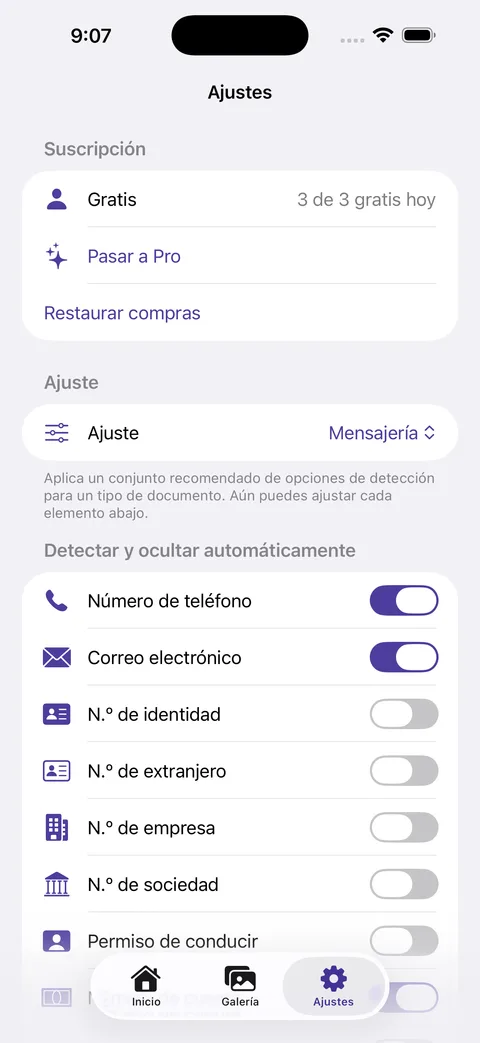
It detects 15+ text PII types—including phone numbers, email addresses, national ID / SSN numbers, passport numbers, driver's licenses, credit card numbers, bank account numbers, street addresses, license plates, and IP addresses—plus human faces, QR codes, and barcodes in images.
Can I manually add or remove redaction boxes if auto-detection misses something?
Yes. You can toggle each detected item on or off with a tap and draw custom redaction boxes anywhere on the page with your finger. Because automated detection is an assistive tool and cannot guarantee 100% accuracy on every font or angle, we always recommend reviewing the preview before sharing.
Does it support PDF files and plain text as well as photos?
Yes. You can scan paper documents with your camera, import photos (JPG/PNG), redact multi-page PDF documents, or paste raw text to mask sensitive strings on the spot.
How many redactions are free per day?
You can redact and export up to 3 items per day for free with no account required. Optional weekly, monthly, or annual Pro plans unlock unlimited batch redactions and document presets.
La detección automática te ayuda a encontrar datos personales, pero no garantiza una cobertura del 100%: revisa los resultados antes de compartir. Las suscripciones Pro se renuevan automáticamente; el precio varía según el país y se muestra en la app. El uso de red se limita al procesamiento de pagos de la tienda.
Tu próximo documento, enmascarado antes de enviarlo.
3 usos gratis al día. Empieza ahora en iPhone y Android.